
Performing Sentiment Analysis using Gen AI
Estimated time: 20 minutes
Learning objectives
After completing this lab, you will be able to:
Leverage generative AI for sentiment analysis for customer support
Find the sentiment scores for the customer queries
Categorize customer feedback as positive, negative, or neutral
Welcome to the lab on Performing Sentiment Analysis using Gen AI!
Introduction
Generative AI plays a transformative role in customer service, revolutionizing how businesses interact with customers. It can be leveraged for a range of tasks, including automating responses to common inquiries, generating personalized recommendations, assisting with troubleshooting, and streamlining complaint resolution. Additionally, sentiment analysis powered by generative AI helps businesses understand customer emotions and tailor responses accordingly. By enhancing communication efficiency, generative AI can significantly improve customer satisfaction, reduce wait times, and create tailored experiences that foster long-term loyalty.
In this lab, you will work on exercises to utilize the sentiment analysis capability of generative AI.
Note: The screenshots displayed in this lab are from the current user interface (UI) of ChatGPT. The UI may change in the future.
Exercise 1: Retail customer query analysis
In this exercise, you will prompt ChatGPT to perform sentiment analysis on customer responses and assess its ability to detect emotions and tone.
Let's begin.
Imagine you are a customer service manager in a large retail company seeking to use generative AI to analyze customer feedback. The company aims to understand customer sentiments, whether positive, negative, or neutral, to tailor responses and improve service. Let's follow the steps below to check the sentiment of a customer's response.
Step 1: Let's perform sentiment analysis on a given customer response and generate the sentiment score.
- Open your browser and navigate to https://chat.openai.com.
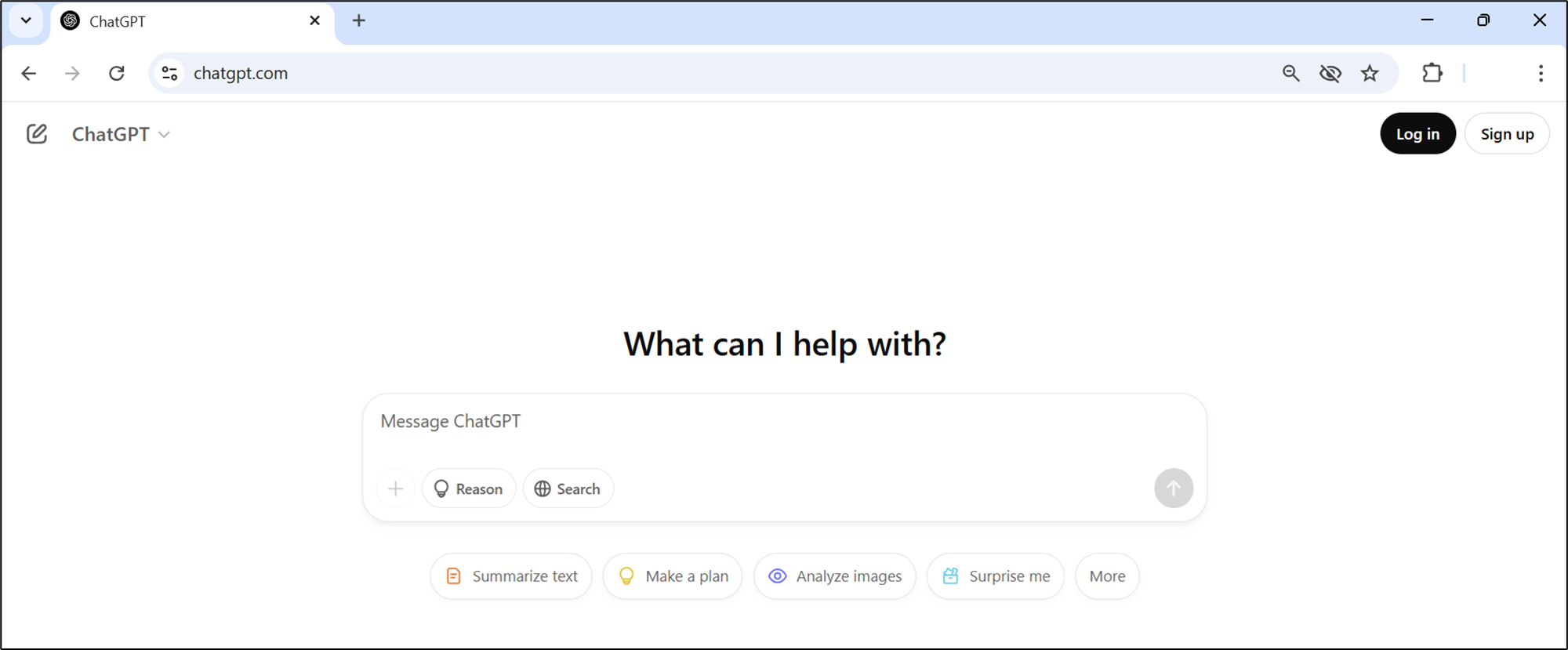
Note: If you are a first-time user, set up a ChatGPT account to Sign up using the steps given here Getting started to OpenAI's ChatGPT.
- Copy the following prompt and paste it into the Message ChatGPT textbox.
Perform sentiment analysis and give a score for the customer response, "I can't log into my account! What is happening?"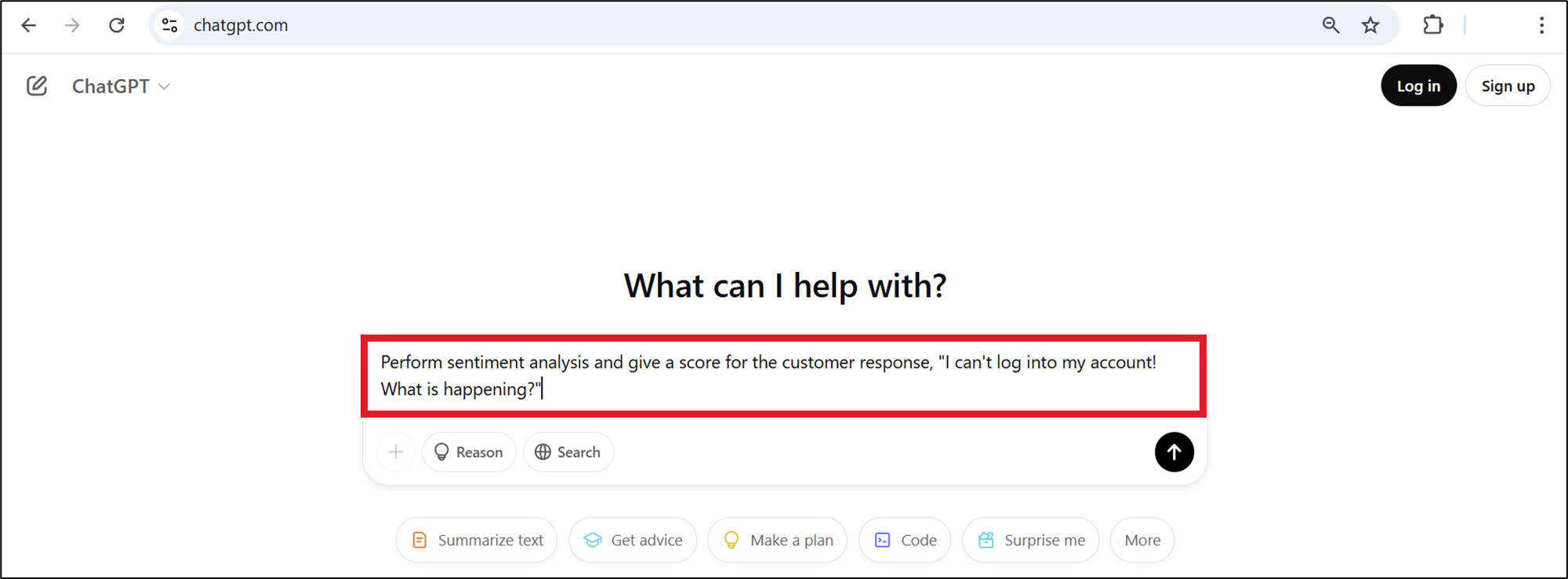
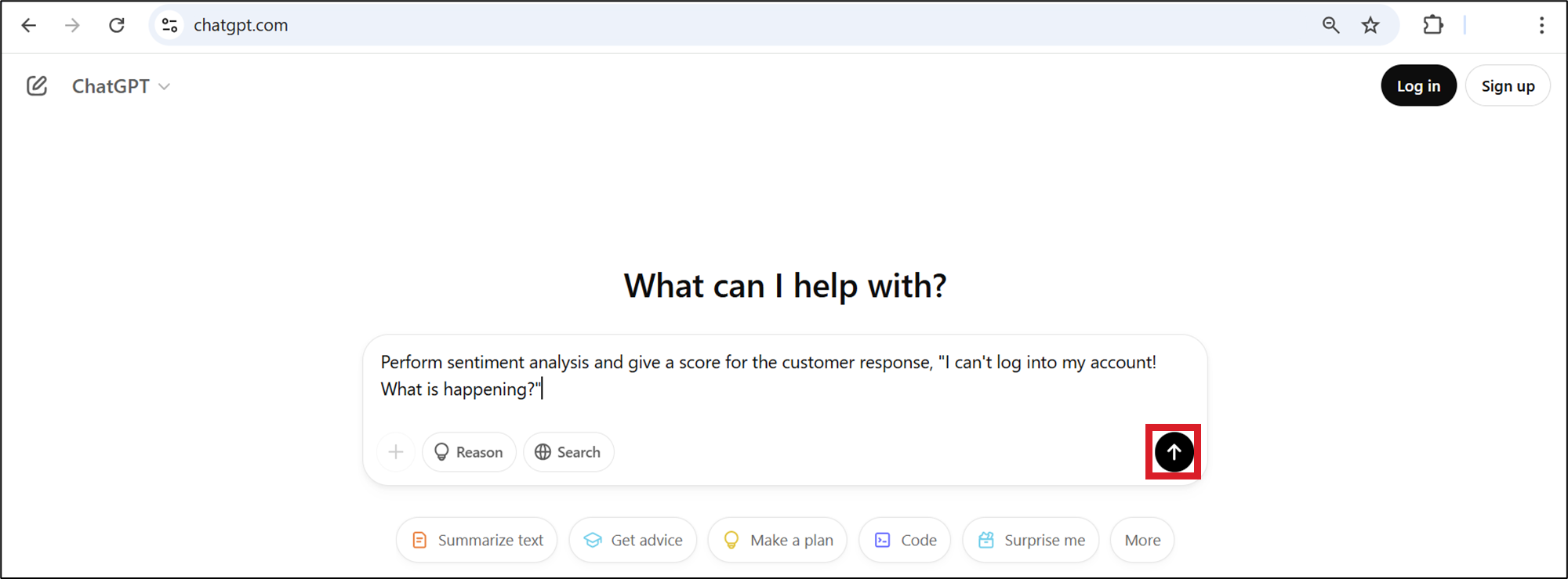
- Press "Enter" on your keyboard or select the upper ward arrow on the screen to generate the response.
A sample-generated response is shown here.
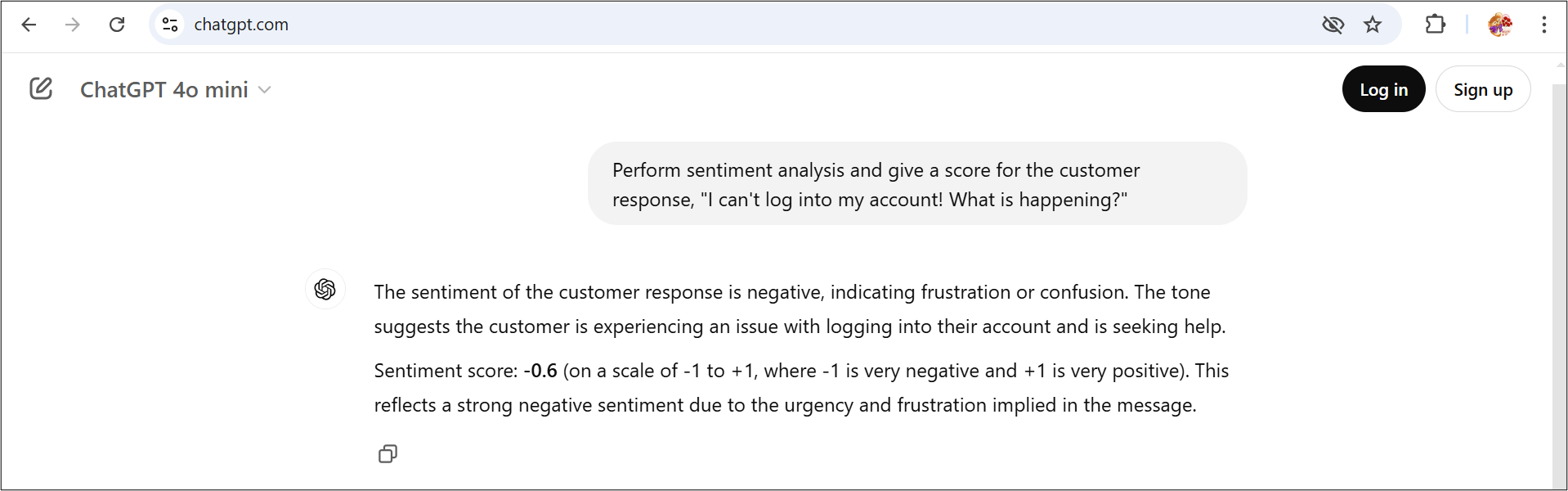
Note: Your output text and score may vary slightly from the output shown here. This is because the GenAI models are constantly evolving. You should get the sentiment score and the ranges of sentiment scores. +1 is the highest positive sentiment score, –1 is the highest negative sentiment score, and 0 represents neutral sentiment.
Step 2: Let's try another prompt to analyze the sentiment of a given customer response and generate the sentiment score of the response.
Copy the following prompt, paste it into the Message ChatGPT textbox, and press Enter.
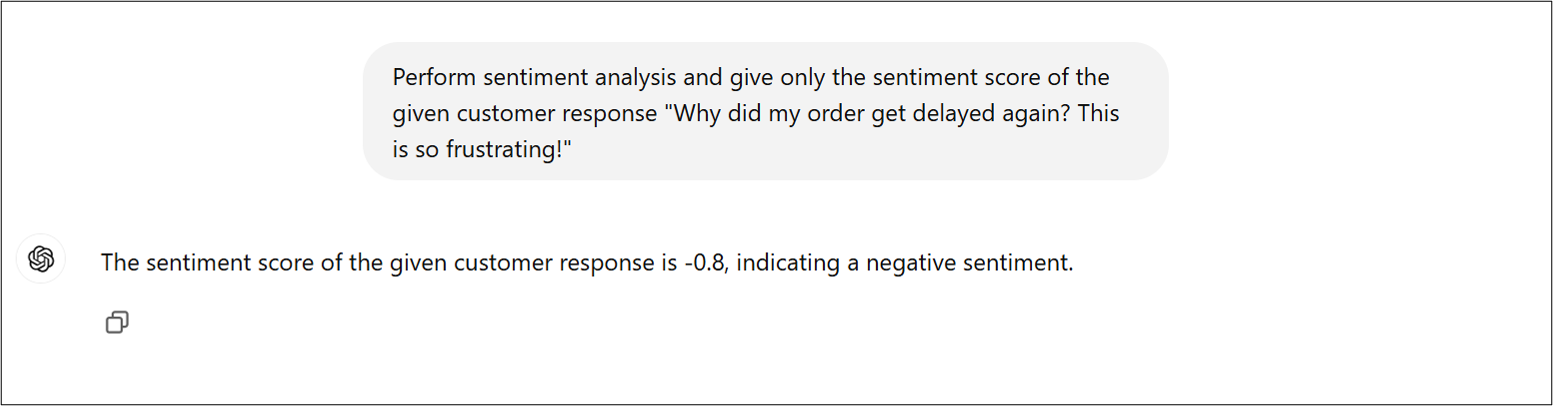
Perform sentiment analysis and give only the sentiment score of the given customer response "Why did my order get delayed again? This is so frustrating!"A sample-generated response is shown here.
Step 3: In this step, you will use ChatGPT to analyze the sentiment of a given customer response and categorize the response into positive, negative, or neutral category without quantifying the score.
Copy the following prompt and paste it into the Message ChatGPT textbox and press Enter.
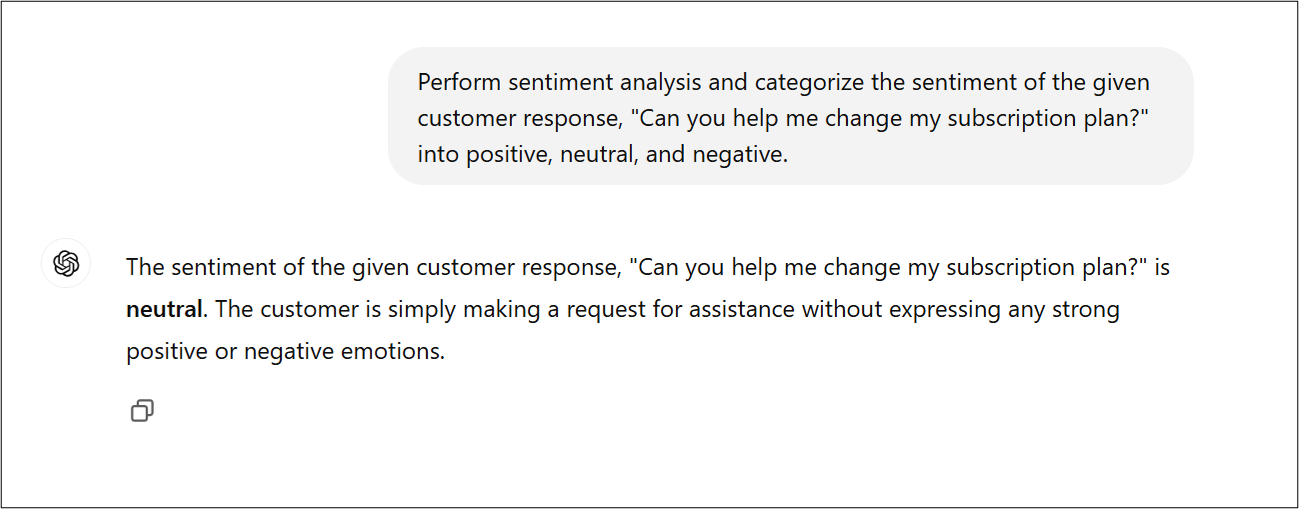
Perform sentiment analysis and categorize the sentiment of the given customer response, "Can you help me change my subscription plan?" into positive, neutral, and negative.A sample-generated response is shown here.
Step 4: In this step, you will use ChatGPT to analyze the sentiment of a given customer response and categorize it into more categories, such as positive, very positive, neutral, negative, and very negative.
Copy the following prompt, paste it into the Message ChatGPT textbox, and press Enter.
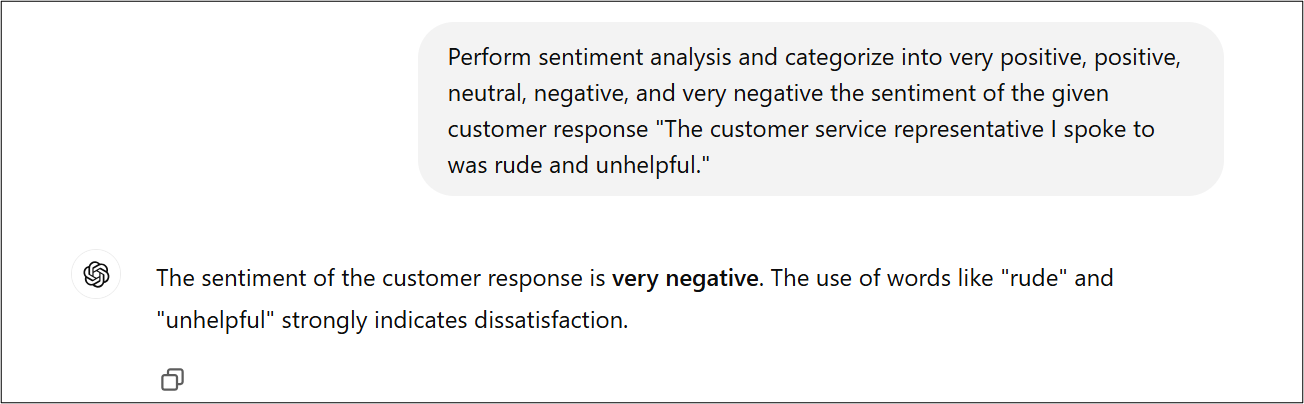
Perform sentiment analysis and categorize into very positive, positive, neutral, negative and very negative the sentiment of the given customer response "The customer service representative I spoke to was rude and unhelpful."A sample-generated response is shown here.
Exercise 2: Hotel guest feedback analysis
Imagine you are the guest experience manager at a large hotel chain, and your goal is to use generative AI to analyze guest feedback. The hotel wants to understand guest sentiments—whether positive, negative, or neutral—so they can provide tailored responses, improve services, and enhance the overall guest experience.
Step 1: In this step, you'll use ChatGPT to perform sentiment analysis on a given customer feedback and generate the sentiment score.
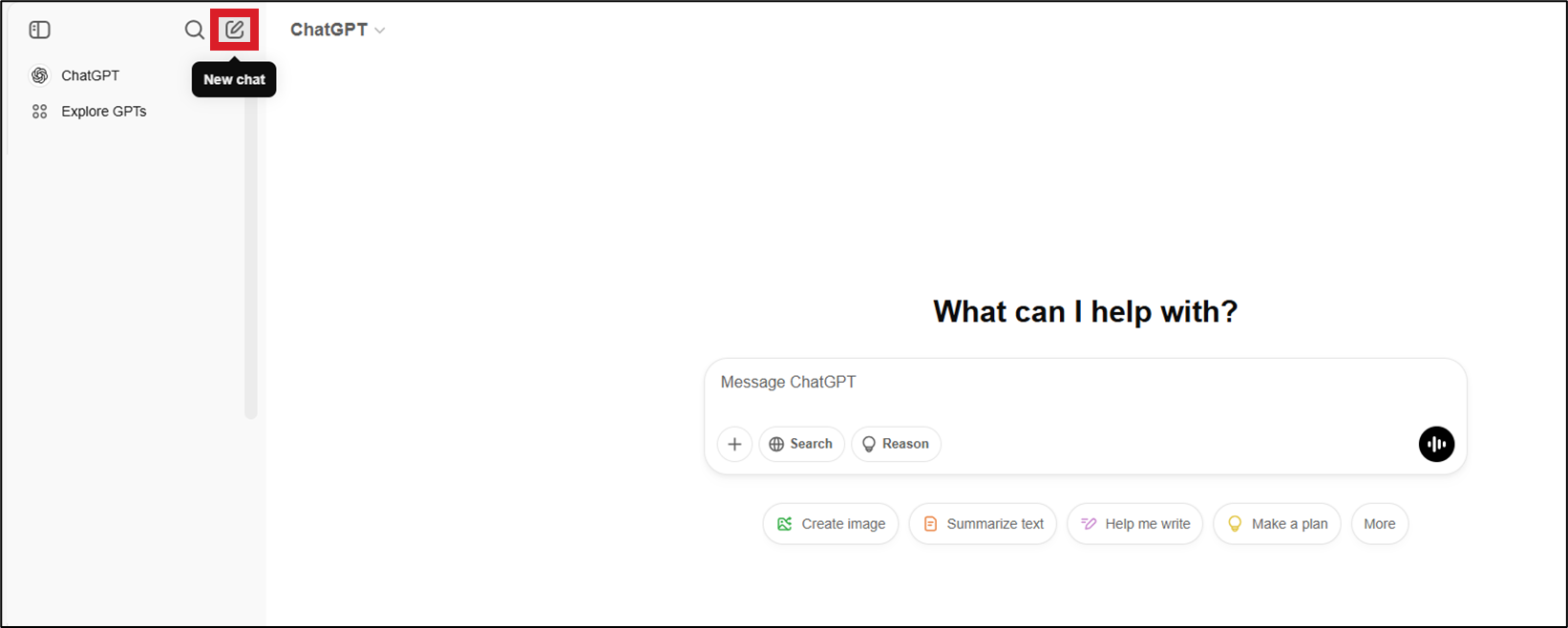
- Create a new chat using the New Chat icon in the left panel.
- Copy the following prompt, paste it into the Message ChatGPT textbox, and press Enter.
Perform sentiment analysis and give a score for the customer feedback, "The hotel room was comfortable, but the air conditioning wasn't working properly."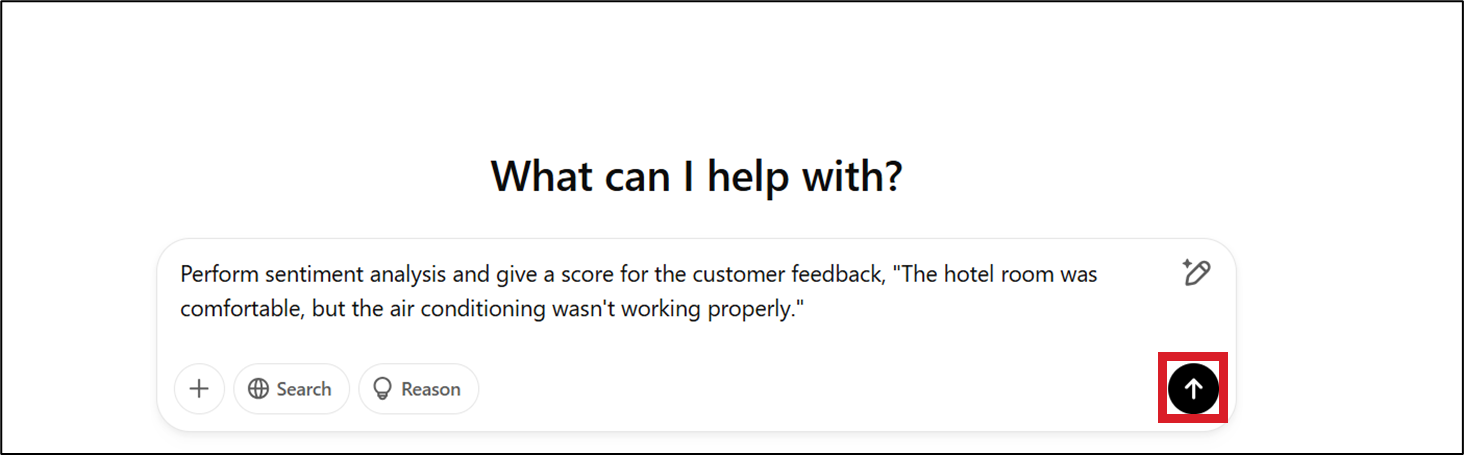
A sample-generated response is shown here.
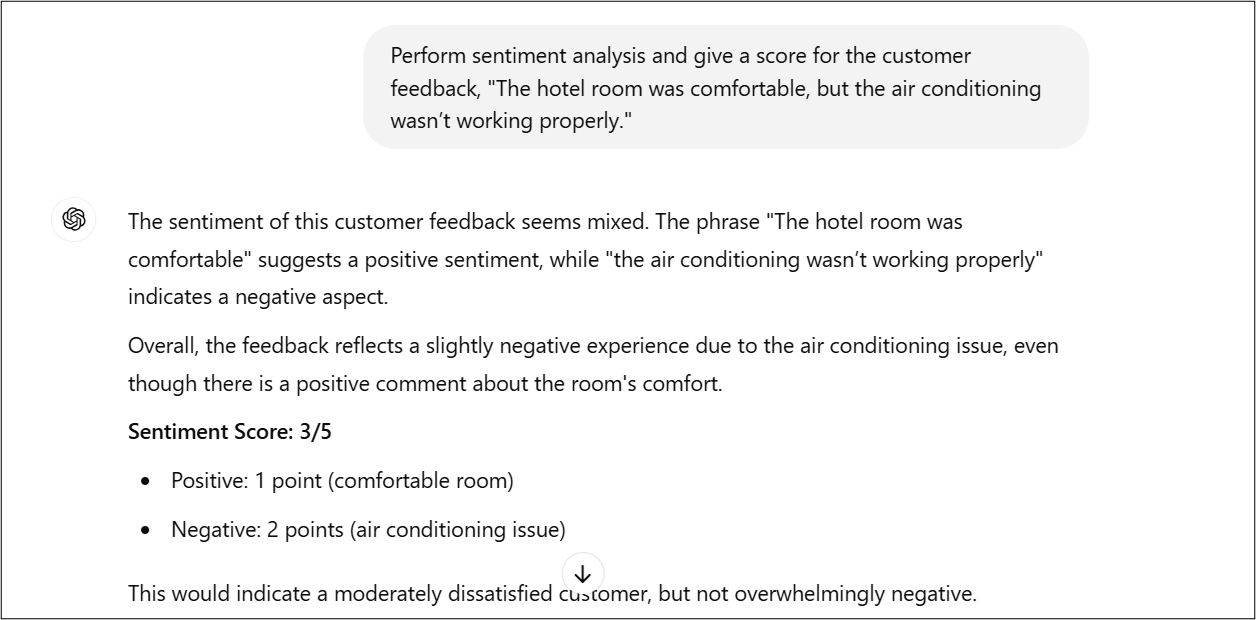
Note: Your output text and score may vary slightly from the output shown here. This is because the generative AI models are constantly evolving. You should get the sentiment score and the ranges of sentiment scores. +1 is the highest positive score, –1 is the highest negative sentiment, and 0 represents neutral sentiment.
Step 2: Let's provide another prompt to ChatGPT to analyze the sentiment of a given customer feedback and generate the sentiment score of the feedback.
Copy the following prompt, paste it into the Message ChatGPT textbox, and press Enter.
Perform sentiment analysis and give only the sentiment score of the given customer feedback "I had an amazing stay! The staff was incredibly welcoming, the room was spotless, and the amenities exceeded my expectations. I'll definitely be coming back!"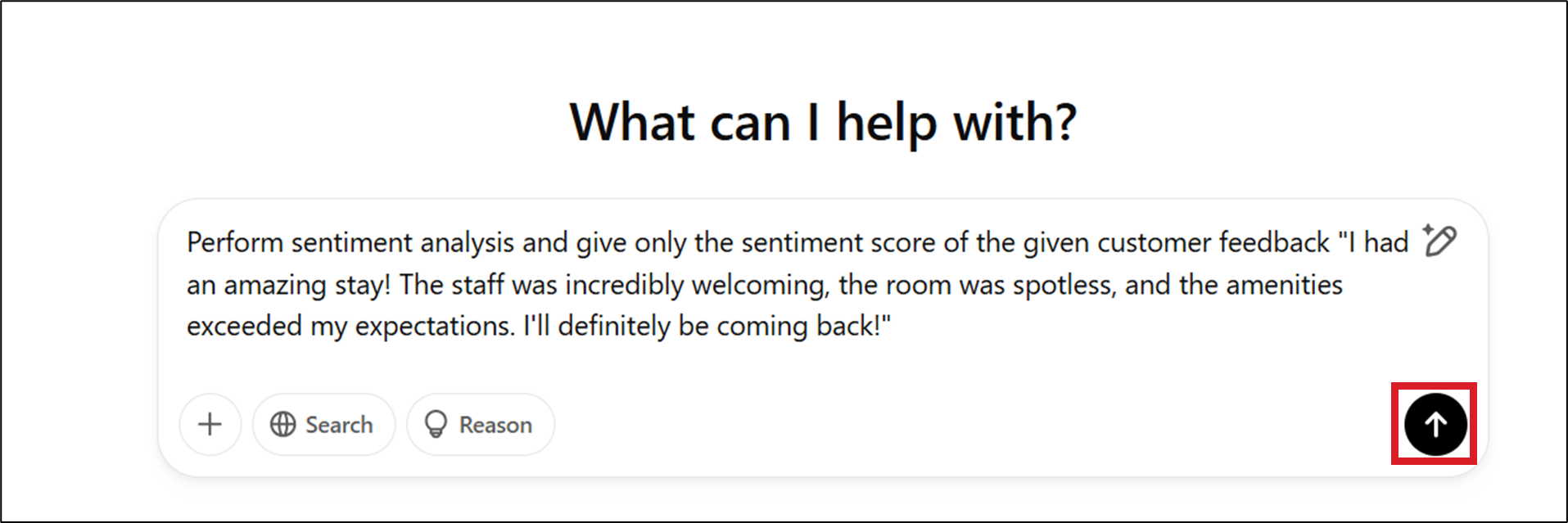
A sample-generated response is shown here.
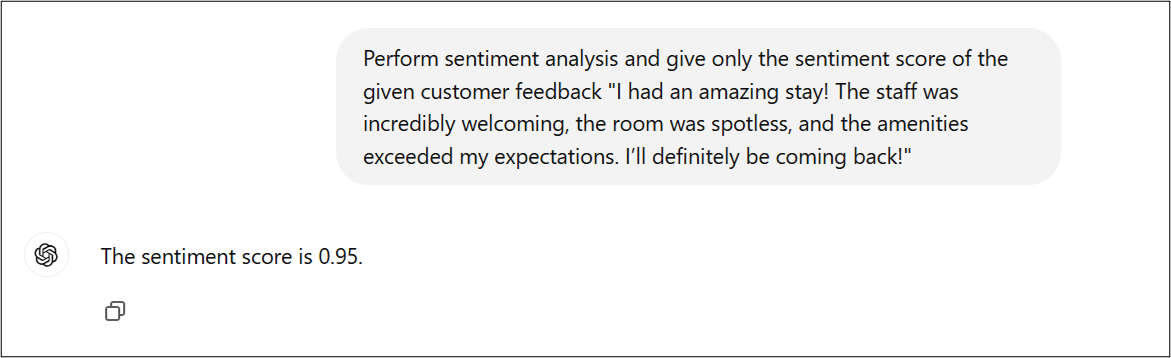
Step 3: In this step, you will use ChatGPT to analyze the sentiment of a given customer feedback and categorize it into positive, negative, or neutral category without quantifying the score.
Copy the following prompt, paste it into the Message ChatGPT textbox, and press Enter.
Perform sentiment analysis and categorize the sentiment of the given customer feedback, "The staff was friendly and helpful, but the check-in process took too long." into positive, neutral, and negative.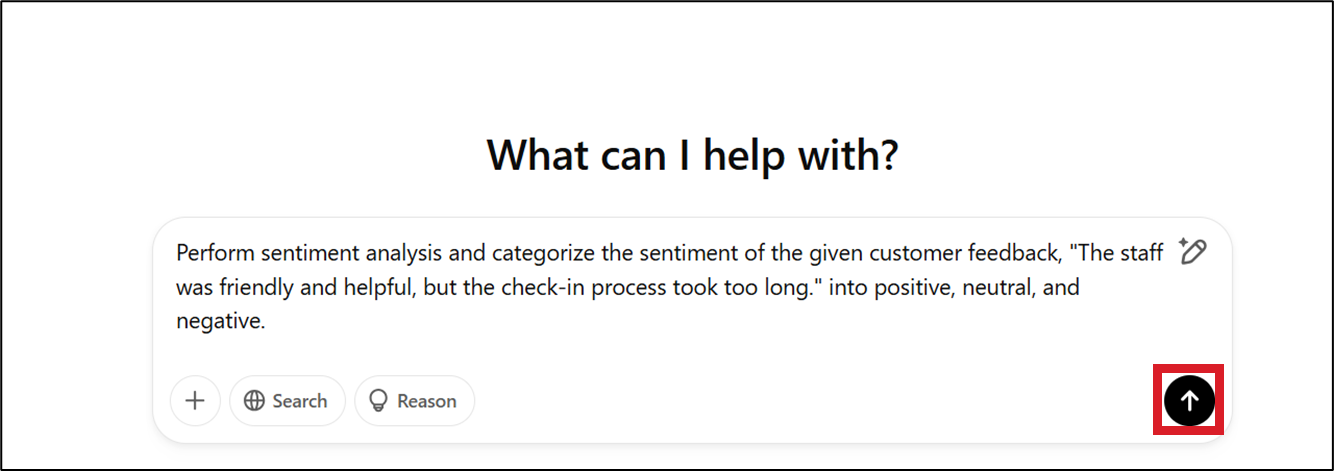
A sample-generated response is shown here.
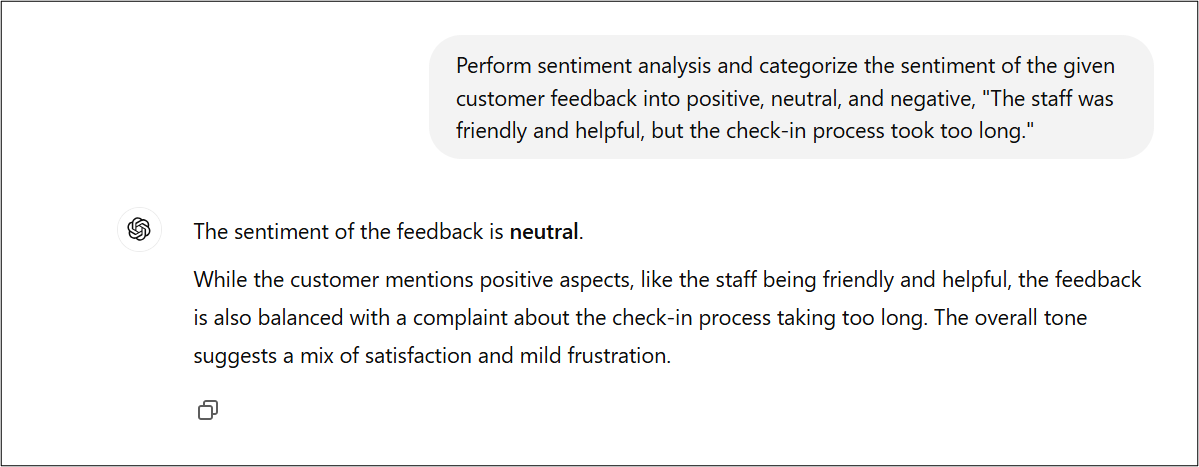
Step 4: In this step, let's analyze the sentiment of a given customer feedback and categorize it into more categories, such as positive, very positive, neutral, negative, and very negative.
- Copy the following prompt, paste it into the Message ChatGPT textbox, and press Enter.
Perform sentiment analysis and categorize into very positive, positive, neutral, negative and very negative the sentiment of the given customer response "I was disappointed with my stay. The room was not as described, and the AC wasn’t working properly."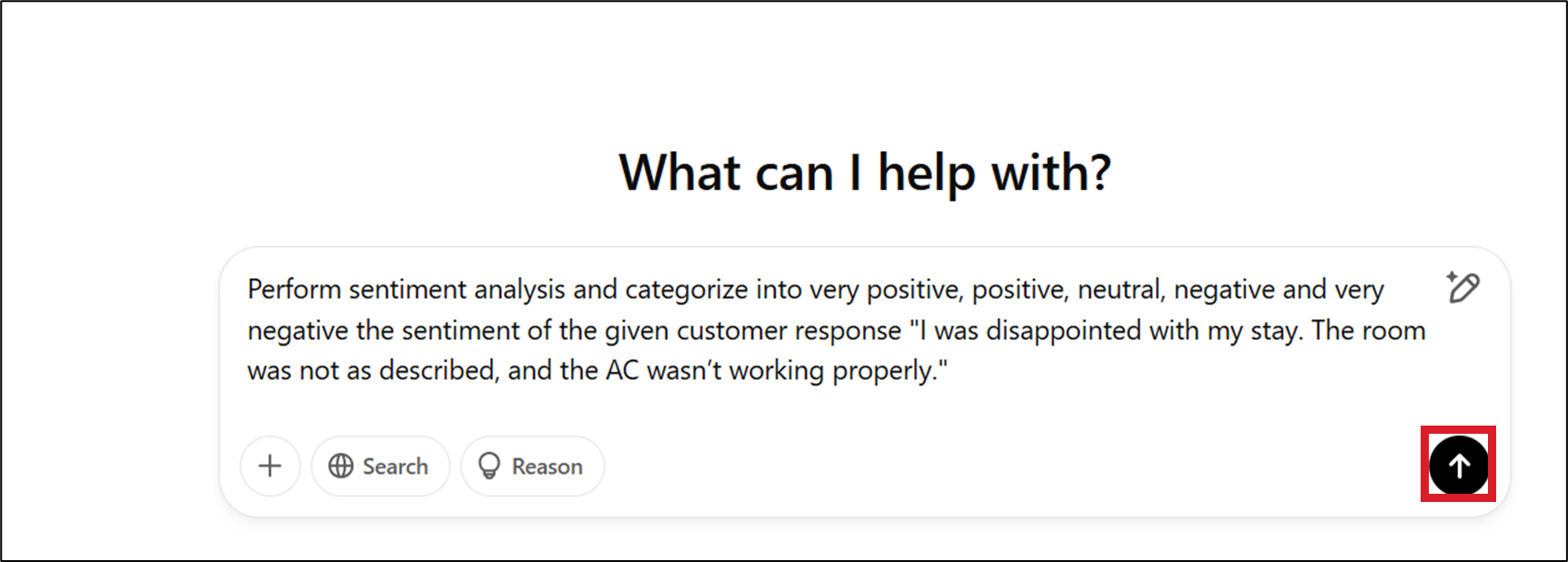
A sample-generated response is shown here.
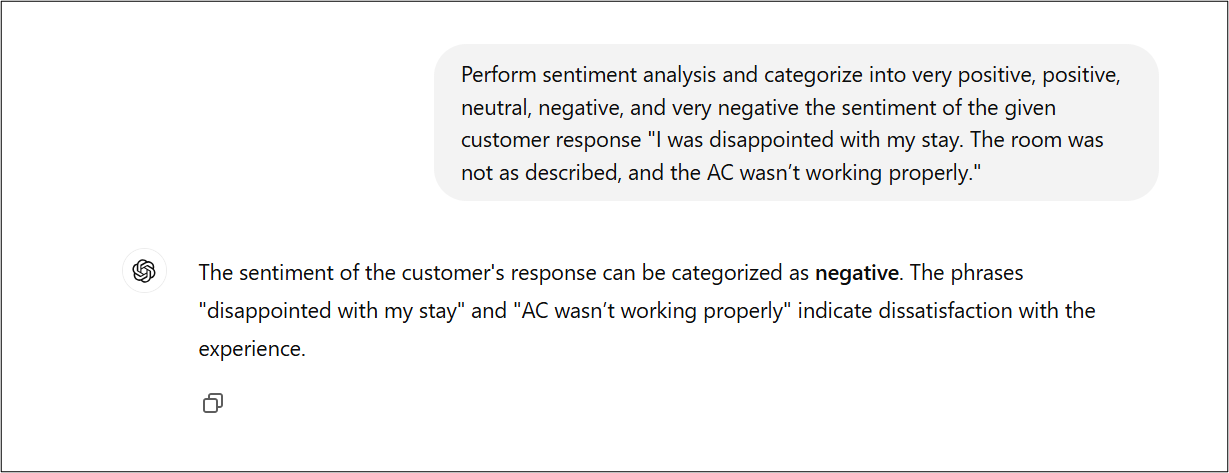
Try Yourself
It's time to try ChatGPT by adding your requirements to analyze customer queries for your organization. For example:
- Imagine you are the customer success manager at a large software-as-a-service (SaaS) company. Your goal is to use generative AI to analyze customer feedback. The company wants to understand customer sentiments—whether positive, negative, or neutral—so it can enhance the software, improve user experience, and reduce churn.
You can use the following customer feedback to perform sentiment analysis.
Customer support is always quick to respond.
Using the software has made my tasks easier.
Sometimes the app takes too long to load.
I find the pricing higher than expected.
It's frustrating when the app crashes unexpectedly.
Perform sentiment analysis using customer_feedback_on_tickets_closed.txt
Customer feedback on tickets closed.txt and provide overall sentiment score.
Summary
Congratulations on completing the hands-on lab Performing Sentiment Analysis using Generative AI.
In this lab, you explored ChatGPT's sentiment analysis capabilities to analyze customer queries or feedback. This can guide you and your organization in responding appropriately, improving services, and enhancing customer experiences.
Author(s)
Ramesh Sannareddy